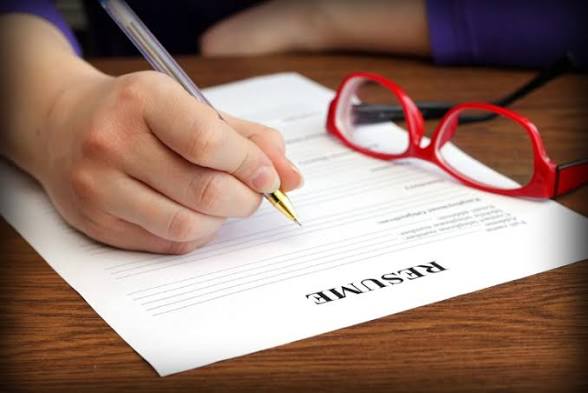

Your CV or resume is the single most important document in your professional life. It doesn’t get you the job, but it does get you the interview – and in today’s competitive market, that’s half the battle. But with AI-generated applications flooding recruiters’ inboxes and Applicant Tracking Systems (ATS) becoming more sophisticated, old-school resume advice no longer cuts it.
This comprehensive guide covers everything you need to know about CV and resume writing in 2026: the key differences, a step-by-step writing process, ATS optimization tactics, and how to stand out from the crowd.
CV vs Resume: What’s the Difference?
This debate confuses many job seekers. The short answer? Location and purpose are everything.
The Resume (United States)
A resume is a highlight reel. It’s a concise, tailored document (1–2 pages) that summarizes your professional experience and achievements relevant to a specific role . Think of it as an answer to the question, “Why should I hire you?” It focuses on impact, outcomes, and metrics in a business context .
The CV (Europe, Academia, and Research)
A CV (Curriculum Vitae) is a career archive. It’s a comprehensive document that captures your full academic and professional history, including publications, research, presentations, grants, and teaching experience . In the UK and Europe, “CV” is the standard term for what Americans call a resume .
Quick Comparison Table
Feature Resume CV
Primary Use Industry, corporate roles Academia, research, medicine, fellowships
Length 1–2 pages (concise) 2–10+ pages (comprehensive)
Content Skills, work experience, measurable achievements Publications, teaching, research, full academic history
Focus Career history & impact (last 10 years) Full academic & professional life
Pro Tip: Maintain a “Master CV” that contains your entire work history. Then, for each job application, create a tailored resume by selecting only the most relevant experiences .
How to Write a CV/Resume: A Step-by-Step Guide
Whether you’re writing a CV or resume, the goal is the same: to present a compelling narrative of your professional value. Here’s the structure that wins in 2026.
- Personal Details (Keep It Clean)
Keep this section professional and concise. Do not include personal information like age, marital status, or a photo unless the job ad specifically requests it .
· Include: Full Name, Phone Number, Professional Email, LinkedIn Profile URL, Location (City, Country)
· Exclude: Date of Birth, Marital Status, Full Street Address, Passport Photo
- Professional Summary (Your 30-Second Pitch)
This is the first thing a recruiter (or ATS) reads. Do not use a generic AI-generated summary. Recruiters can spot these instantly – they lack context and sound the same as hundreds of other applicants .
· What to Do: Write in your own voice. Use job-specific keywords and highlight your most impressive achievement.
· Example: “Results-driven Marketing Manager with 5+ years of experience in B2B growth. Proven track record of increasing organic traffic by 40% through data-driven content strategies. Expert in SEO, Content Marketing, and Team Leadership.”
- Professional Experience (Where You Prove Your Value)
This is the most critical section. Don’t just list responsibilities; showcase your results. Most CVs fail here because they are too generic .
The STAR Method:
Use this framework to structure your bullet points.
· Situation: What was the context?
· Task: What was your objective?
· Action: What specific action did you take?
· Result: What was the measurable outcome?
Key Tips:
· Use strong action verbs: Spearheaded, Managed, Developed, Implemented .
· Quantify everything: “Increased sales by 32% in 6 months” is infinitely stronger than “Responsible for sales” .
· Focus on impact: Hiring managers want to see how you made a difference, not just what you did. Focus on process improvement, cost savings, and profit growth .
Example Bullet Point:
· Weak: “Worked on social media campaigns.”
· Strong: “Created and managed 12 LinkedIn campaigns that boosted engagement by 40% and generated 150+ qualified leads.”
- Education
Simple and direct. List your qualifications in reverse chronological order.
· Format: Qualification, Institution, Location, Year of Graduation
· Pro Tip: If you are a recent graduate with limited work experience, move this section above your professional summary . Do not list primary or secondary school education .
- Skills (For Both Humans and ATS)
This section is crucial for passing the ATS. Vague skills like “hardworking” are useless . Group your skills into clear categories:
· Technical Skills: Python, Salesforce, Project Management, SEO
· Job-Specific Skills: Medical Underwriting, Financial Analysis, Grant Writing
· Soft Skills: Leadership, Strategic Communication, Problem-Solving
- Certifications & Awards
List any relevant certifications and awards to build instant credibility. Include the name of the certification, the issuing body, and the date earned .
- What to Leave Out (In 2026)
· References: “References available upon request” is standard. Use the space for something more valuable .
· Hobbies: Only include if they are highly relevant or demonstrate transferable skills (e.g., volunteering, leadership in a club) .
How to Beat the ATS (Applicant Tracking System)
Did you know that over 75% of resumes are rejected by an ATS before a human even sees them? Optimizing for ATS is not optional; it’s survival.
Here’s how to ensure your resume passes the digital gatekeepers:
- Use the Right Keywords
The ATS scans your resume for keywords from the job description. If the job ad says “Project Management,” don’t write “Handled projects.” Use the exact same terminology .
· Pro Tip: Use both acronyms and full forms (e.g., “SEO (Search Engine Optimization)”) to ensure the ATS catches both .
- Keep Formatting Simple
Fancy icons, text boxes, columns, and graphics confuse the ATS and can get your resume rejected . Keep it clean:
· Use standard fonts: Arial, Calibri, Times New Roman .
· Avoid tables and text boxes. Stick to clear, standard headings like “Experience,” “Education,” and “Skills” .
- Quantify Your Achievements
This is for the ATS and the recruiter. Numbers tell your story better than adjectives. Use metrics, percentages, and dollar amounts to demonstrate your impact .
- Use the Right File Format
Unless specified otherwise, a Word document (.docx) is often the safest bet for ATS systems. However, some ATS can handle PDFs. If you’re in doubt, check the application instructions .
- Test Your Resume
Before you submit, use free ATS-checker tools like JobScan or ResumeWorded to see how your resume scores. This will help you identify missing keywords or formatting issues before it’s too late .
The 2026 Strategy: How to Actually Stand Out
ATS optimization gets you past the robot. Here’s how to impress the human.
- Sound Like a Human (Not an AI Bot)
With over 65% of job seekers now using AI tools, many CVs sound the same . Your resume needs to sound like you. Avoid generic phrases and polish. Inject a voice that communicates your specific value and personality .
- Align Your LinkedIn Profile
A recruiter always cross-checks. Your LinkedIn profile should validate and expand upon what’s on your resume. If there’s a disconnect, it’s a major red flag .
- Tailor, Tailor, Tailor
Sending out the same CV to every job ad is a recipe for rejection . Hiring managers can tell when you have a genuine interest in the role. Spend the extra time to customize your professional summary and highlight experiences that are most relevant to each specific job description .
Conclusion
Your CV or resume is a living marketing document, not just a formality. In 2026, the key to success lies in striking a delicate balance: optimizing for ATS algorithms while writing for actual human decision-makers. Ditch the generic templates, quantify your results, and tell a story that sounds authentically like you.
Your resume opens the door. Your interview closes the deal. Make sure that first impression is a powerful one.
Ready to land your dream job? Start by reviewing your CV today. If it hasn’t been updated in the last 3 months, it’s probably time for a refresh.